QR Codes para ONGs
Implementar QR Codes em sua organização sem fins lucrativos é uma maneira inteligente e econômica de maximizar seus esforços de marketing.
Esteja você promovendo eventos de arrecadação de fundos, compartilhando informações importantes ou simplificando doações, os QR Codes facilitam a construção de conexões memoráveis com potenciais apoiadores.
Inspire-se com estas ideias de QR Codes e veja como sua organização sem fins lucrativos pode elevar suas campanhas de marketing.
Usando QR Codes para ONGs de forma criativa
O uso de QR Codes para organizações sem fins lucrativos pode expandir significativamente seu alcance, criando mais oportunidades para doações, defesa de causas e apoio voluntário. Ao adicionar QR Codes aos seus materiais promocionais, você facilita que potenciais apoiadores se conectem diretamente com sua causa.
Ideias inovadoras para usar QR Codes na sua ONG
O sucesso de uma organização sem fins lucrativos depende de provocar ação — seja por meio de doações, petições ou inscrições de voluntários. Mas, no mundo atual cheio de distrações, levar as pessoas a agir pode ser um desafio.
É aí que entram os QR Codes. Ao colocar QR Codes em materiais impressos como folhetos, panfletos ou ingressos de eventos, você fornece um link simples e simplificado entre o mundo físico e o ecossistema digital da sua organização sem fins lucrativos.
Isso torna mais fácil do que nunca para os apoiadores se conectarem com sua causa. Em vez de depender de os apoiadores lembrarem de uma URL longa ou pesquisarem seu site, os QR Codes oferecem um caminho direto e contínuo para sua presença digital por meio de uma leitura rápida, incentivando a ação instantânea.
Além disso, os QR Codes são flexíveis. Com um QR Code URL Dinâmico, você pode atualizar a URL por trás do código a qualquer momento, portanto, se seu foco mudar de uma campanha para outra, seus materiais permanecerão relevantes sem a necessidade de reimpressões. Essa adaptabilidade garante que sua organização sem fins lucrativos permaneça responsiva, especialmente durante iniciativas sensíveis ao tempo.
Abaixo, veremos alguns exemplos de como os QR Codes podem aprimorar a estratégia da sua organização sem fins lucrativos e ajudá-lo a começar a construir conexões mais fortes com seu público.
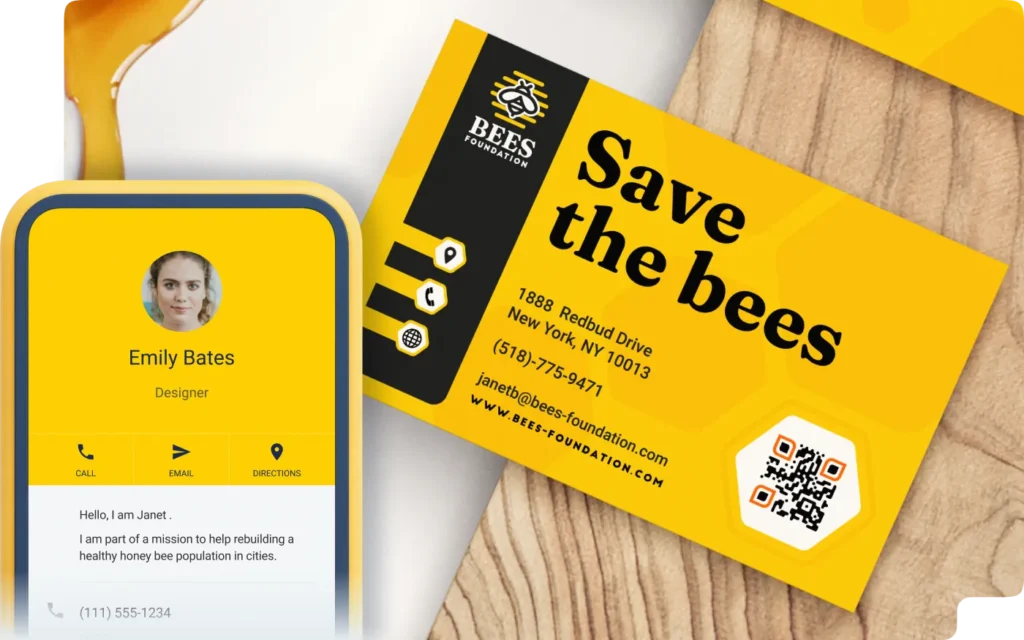
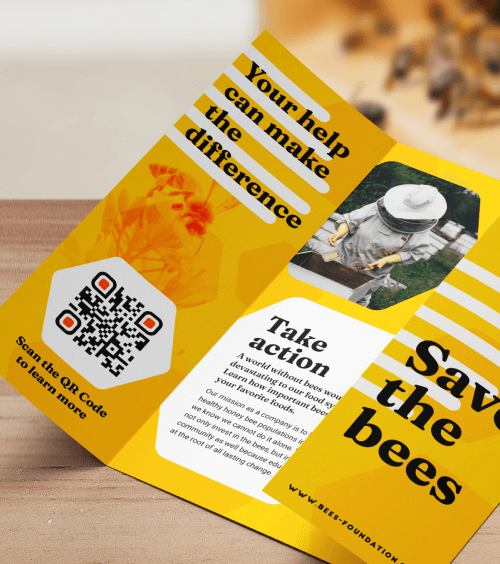
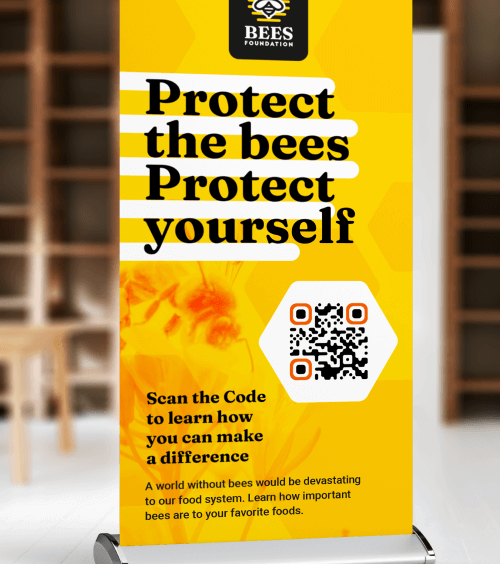
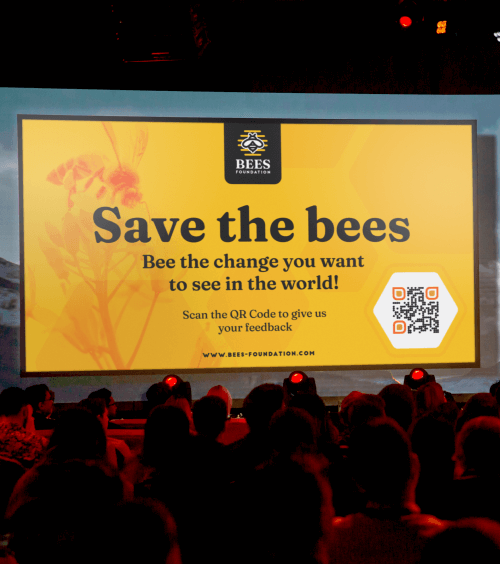
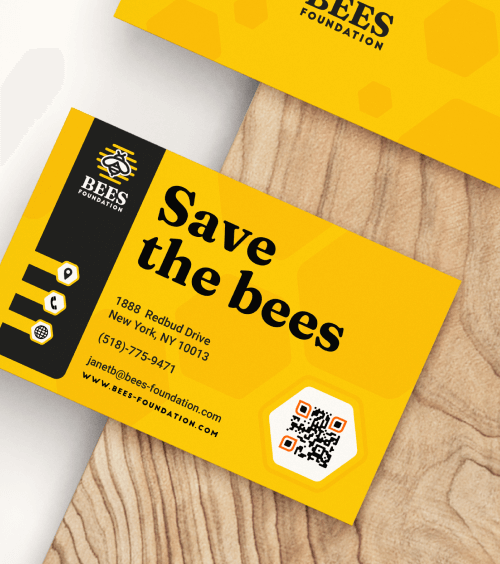
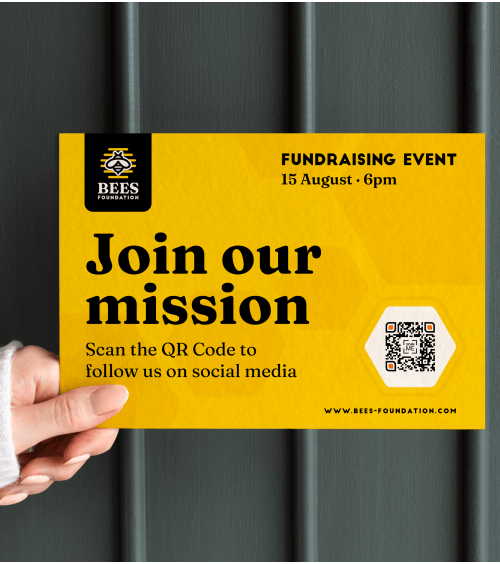
Venha conheçer a Bees Foundation
A Protect the Bees Foundation pode não ser uma organização sem fins lucrativos real, mas representa o poder do que sua instituição de caridade pode alcançar com QR Codes.
Ao incorporar esses QR Codes em sua estratégia de marketing, você pode criar experiências envolventes e significativas que impulsionam a defesa de causas e doações para o seu caso. Esteja você buscando aumentar as doações, aumentar a conscientização ou impulsionar a participação em eventos, os QR Codes podem elevar seus esforços de divulgação.
Pronto para levar sua organização sem fins lucrativos para o próximo nível? Explore estas ideias criativas de QR Codes para organizações sem fins lucrativos e descubra como você pode causar um impacto maior.
Crie consciência de marca
Materiais de marketing tradicionais, como folhetos e cartazes, são ótimos para divulgar sua mensagem, mas muitas vezes resultam em visualização passiva — as pessoas dão uma olhada neles e seguem em frente.
Mas e se você pudesse transformar essa interação passiva em participação ativa? Ao adicionar Business Page QR Codes aos seus materiais, você pode fazer exatamente isso.
Com uma simples leitura, seu público pode mergulhar mais fundo na missão da sua organização sem fins lucrativos, explorar seu site e acessar informações de contato, links de redes sociais e muito mais. Isso transforma seu marketing de uma mensagem de mão única em uma experiência interativa e memorável, guiando potenciais apoiadores ainda mais pelo funil de marketing.
Divulgue a sua página de doação
Para aumentar as chances de seus folhetos e livretos gerarem ação, você precisa facilitar para que potenciais apoiadores deem o próximo passo. Sem um caminho claro para sua página da web ou página de doação, eles podem perder o interesse antes de se envolverem.
Ao adicionar um QR Code URL Dinâmico aos seus materiais impressos, você elimina essa barreira. Com apenas uma leitura, os apoiadores podem acessar instantaneamente seu site ou página de doação — sem necessidade de pesquisar ou digitar.
Isso não apenas simplifica o processo para seu público, mas o QR code também fornece insights valiosos por meio de Analytics. Rastreie quais materiais estão gerando mais leituras ou determine os melhores momentos para campanhas com base na atividade de leitura. Com esses dados, você pode ajustar sua estratégia de marketing, otimizar seu orçamento e medir o ROI com mais precisão.
Exiba mais informações — sem a desordem
Panfletos e banners têm espaço limitado, tornando difícil incluir todas as informações essenciais de que os potenciais apoiadores precisam. Com um PDF QR Code, você pode resolver esse problema criando um link direto para uma brochura ou livreto online da sua organização sem fins lucrativos.
Isso permite que você forneça informações detalhadas sobre sua causa, seu impacto e como as pessoas podem se envolver — sem sobrecarregar seus materiais impressos. Além disso, quando chegar a hora de atualizar seu conteúdo, você pode simplesmente vincular o QR code existente a um novo PDF. Isso poupa o trabalho e o custo de reimpressão, garantindo que sua mensagem esteja sempre atualizada.
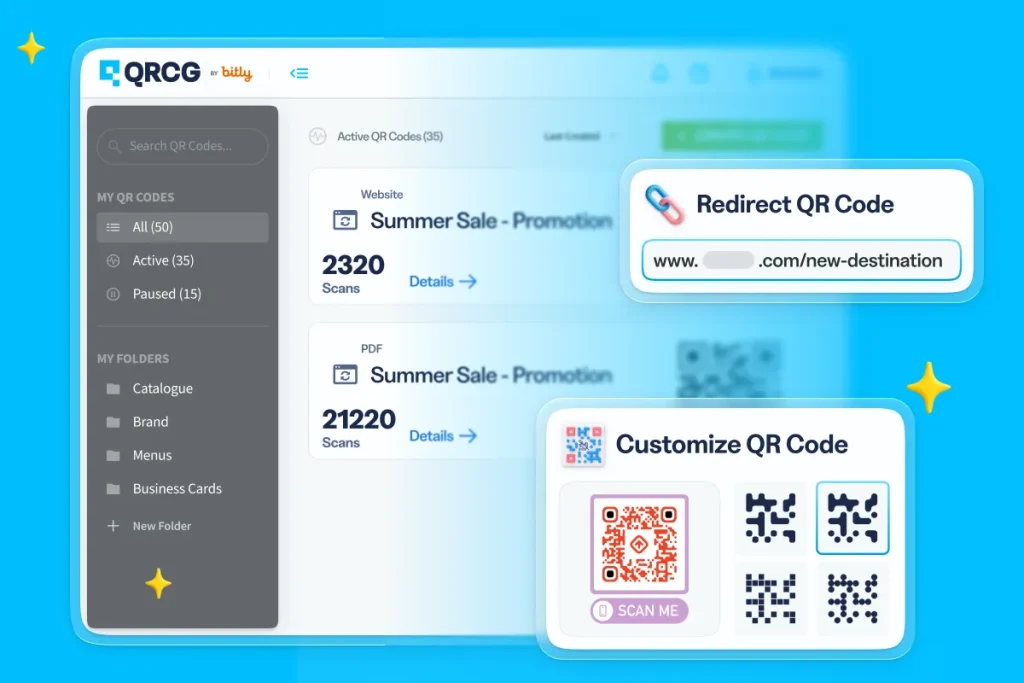
Create, manage, and track all your QR Codes.
Design beautiful QR Codes your way. Add your own color, logo, and frame.
Receba os membros com um vídeo
Mensagens de agradecimento sinceras são uma maneira poderosa de fortalecer as conexões com seus doadores e voluntários. Embora cartas e e-mails de agradecimento tradicionais sejam um ótimo ponto de partida, você pode elevar seu agradecimento a um novo nível com um Video QR Code.
Ao incorporar esses QR codes em cartas de agradecimento, pacotes de boas-vindas ou materiais de eventos, você proporciona uma experiência interativa e envolvente que é mais impactante do que apenas palavras.
Mas por que se limitar a um único vídeo? Você poderia até mesmo criar um link para uma playlist de vídeos selecionados que mostre a jornada, os marcos e as metas futuras da sua organização sem fins lucrativos, permitindo que os apoiadores conheçam sua missão em profundidade. Esse toque dinâmico e interativo constrói relacionamentos mais profundos, reforça o impacto do apoio deles e incentiva o envolvimento contínuo.
Lembre os doadores sobre os próximos eventos
Para organizações sem fins lucrativos, realizar eventos é um investimento — mas as recompensas potenciais são ainda maiores, especialmente quando você atrai um público grande e engajado. Esteja você organizando uma caminhada beneficente, um jantar de gala ou um evento de agradecimento aos voluntários, os Event QR codes são uma maneira poderosa de conectar doadores, potenciais interessados e apoiadores à sua causa.
Basta adicionar seus Event QR codes aos seus e-mails, newsletters e postagens nas redes sociais para oferecer ao seu público uma maneira rápida e simples de acessar detalhes importantes do evento, confirmar presença ou fazer uma doação — tudo com uma leitura rápida. Isso torna mais fácil do que nunca para as pessoas se envolverem e aumenta as chances de atingir as metas da sua campanha de arrecadação de fundos.
Fortaleça a sua organização
Medir o sucesso de eventos de arrecadação de fundos para organizações sem fins lucrativos pode ser um desafio. Com tantas partes móveis — patrocinadores, participantes, equipe, voluntários — é difícil coletar feedback consistente de uma maneira organizada e eficiente. Métodos tradicionais, como pesquisas em papel, consomem muito tempo e são difíceis de gerenciar.
É aí que entra o Feedback QR Code. Incorpore esses QR codes em seus materiais de evento para coletar insights valiosos de participantes, patrocinadores, voluntários e funcionários. Basta uma leitura rápida e o feedback deles é enviado diretamente para o seu e-mail, ajudando você a acompanhar as respostas e avaliar o que funcionou bem e o que poderia ser melhorado.
Não se esqueça de dar um retorno àqueles que dedicaram tempo para fornecer feedback — isso mostra que você valoriza a opinião deles e ajuda a construir relacionamentos mais fortes a longo prazo.
Nunca fique sem cartões de visita
Construir conexões significativas com potenciais doadores começa por tornar o mais fácil possível para que eles entrem em contato com você. Adicionar um Código QR vCard Plus aos cartões de visita da sua organização sem fins lucrativos é uma ótima maneira de fazer isso. Com uma simples leitura, os contatos podem salvar instantaneamente seu número de telefone, e-mail, endereço do escritório, perfil no LinkedIn e muito mais — diretamente em seus dispositivos móveis.
Mesmo que seus cartões de visita físicos acabem durante um evento, o vCard Plus QR Code funciona no seu celular. Os participantes podem ler e salvar seus dados na hora, tornando mais fácil do que nunca manter contato, cultivar relacionamentos e expandir a rede da sua organização sem fins lucrativos.
Divulgue suas redes sociais
As redes sociais são uma ferramenta essencial para organizações sem fins lucrativos se conectarem com apoiadores, construírem uma comunidade e ampliarem sua mensagem. É onde as pessoas interagem, compartilham histórias e se envolvem. Ao adicionar um Social Media QR Code aos seus materiais impressos, você torna simples para potenciais doadores acessarem todos os seus perfis nas redes sociais com apenas uma leitura.
Este QR code cria um caminho direto para a presença online da sua organização sem fins lucrativos, ajudando você a aumentar seu número de seguidores, gerar mais engajamento e expandir seu alcance. Seja em brochuras, panfletos ou sinalização de eventos, esses QR codes oferecem uma maneira poderosa de transformar materiais impressos tradicionais em uma ferramenta dinâmica para construir uma base de seguidores online fiel.
Destaque oportunidades de voluntariado
Na próxima vez que quiser realizar uma campanha de voluntariado, simplifique o processo de inscrição para seus voluntários criando um Formulário Google e combinando-o com um Google Form QR Code para seus materiais impressos — como panfletos, mala direta ou programas de eventos.
Em vez de depender de telefonemas ou e-mails, nos quais potenciais voluntários podem desistir ou esquecer de dar continuidade, o QR code oferece a eles um link direto para sua página de inscrição de voluntários. Isso elimina atritos e torna muito mais fácil para as pessoas se envolverem, aumentando suas chances de atrair voluntários comprometidos.
Além disso, você pode personalizar o formulário para coletar informações relevantes, como disponibilidade, habilidades ou preferências de função, ajudando você a alocar facilmente os voluntários nas funções mais adequadas.
Meça seu sucesso
Organizações sem fins lucrativos sabem que decisões baseadas em dados são essenciais para aprimorar os esforços de arrecadação de fundos e defesa de causas, mas construir a infraestrutura tecnológica para isso pode ser demorado, caro e complexo. Os QR code oferecem uma solução simples e econômica para dar o pontapé inicial na tomada de decisões baseada em dados — sem a necessidade de tecnologia avançada.
Com Dynamic QR Codes, você pode acessar insights vitais sobre quando, onde e com que frequência seus códigos são escaneados, obtendo uma visão clara de quais materiais, campanhas e eventos são mais envolventes para seu público. Esse tipo de feedback em tempo real permite que você otimize suas estratégias rapidamente, refine sua abordagem e, finalmente, aumente o impacto dos esforços da sua organização sem fins lucrativos.
O que fazer e o que não fazer ao usar QR Codes para ONGs
- Mantenha uma zona de silêncio: Você conhece o espaço em branco ao redor dos pixels do código? Isso é chamado de zona de silêncio. Sem esse espaço, o QR code seria considerado incompreensível e, portanto, inescaneável. Então, para evitar essa sequência de eventos, mantenha um espaço em branco limpo e tente não borrar as bordas. Uma regra geral: garanta que a zona de silêncio tenha mais ou menos quatro vezes a largura dos pixels.
- Inclua cores da marca, logotipos ou imagens: Atraia mais escaneamentos adicionando o logotipo da sua marca ou uma imagem ao centro do QR code. Lembre-se de integrar as cores associadas à sua marca para aumentar a lembrança da marca. Os usuários estão mais inclinados a escanear o QR code se reconhecerem e confiarem na marca. Se você optar por adicionar uma imagem, verifique a qualidade da imagem antes de baixá-la ou imprimi-la.
- Selecione as cores certas: Criar um design de QR code com cores justapostas é um equilíbrio delicado. Por um lado, você quer que seu código se destaque; por outro, quer evitar sobrecarga ou conflito de cores. Escolha cores que contrastem entre si de maneira complementar, para que cada parte do código seja visível e escaneável.
- Adicione uma chamada para ação (CTA): Um QR code não estaria cumprindo seu objetivo sem uma CTA. A ideia é incentivar o usuário a realizar uma ação, ou seja, escanear o código. Uma CTA de QR code clara instrui sucintamente quem escaneia a realizar a ação desejada. Experimente a CTA “Doe Agora” para estimular mais escaneamentos e doações.
- Inspecione seus links: Seja meticuloso ao verificar seus links: examine se o link está correto e se o link funciona. É claro que, se você selecionou um QR code dinâmico, pode alterar o link sem comprometer o código. Dica quente: atualize constantemente seus links e conteúdo para manter seus links intactos e seu conteúdo atualizado. Isso não apenas parece profissional, mas também oferece aos doadores e partes interessadas acesso contínuo e escaneável à sua organização sem fins lucrativos em todos os momentos.
- Teste, teste, teste: E, finalmente, uma das etapas mais importantes antes de imprimir seu QR code é realizar rodadas de testes. Basta apontar sua câmera na direção do seu novíssimo QR code e observar sua legibilidade em diferentes dispositivos digitais. Confira as dicas de impressão de QR code para evitar possíveis contratempos.
Worry-free, mistake-proof
Integrate the use of QR Codes in the early planning stage and only add the contents when you’re ready to go live, even after print.
Perfect resolution, every time
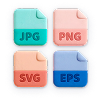
Your QR Codes stay in high resolution no matter what they’re printed on. Download in JPG, PNG, SVG, or EPS.
Stay organized effortlessly
Label your QR Codes and create folders to keep them nice and tidy so you can focus on performance.
Collaborate securely online
Add team members to your account and take full control over what they can see or do—complete with their own logins.
Make a great first impression
Customize the short URL or stand out from your competitors and use your own domain to foster brand loyalty.
Stay on top of everything
Add campaign info so you know when the campaign starts, which medium it’s on, and how many copies are printed.

Static QR Codes não são rastreáveis e não podem ser editados após serem criados. Portanto, eles funcionam melhor para casos de uso pessoal e únicos.
Os QR code dinâmicos são mais adequados para marketing porque você pode rastrear, medir e editar seu código a qualquer momento. Corrija erros de digitação após a impressão ou ajuste materiais de marketing no meio da campanha — sem precisar criar um novo código.
Vá para o gerador de QR code e inscreva-se para criar uma conta. Selecione Create QR Code no painel. Na página seguinte, selecione Website e clique no botão Next. Em seguida, dê um nome ao seu QR code e insira a URL da sua página de doação ou página de destino no campo.
Agora é hora de brincar! Personalize as cores, o logotipo, a moldura, a borda, o formato e a CTA (chamada para ação) do seu QR Code.
Dica profissional: Recomendamos fortemente adicionar seu logotipo para que os doadores reconheçam sua marca. Isso promoverá mais confiança, fazendo com que os doadores se sintam seguros ao doar para sua causa.
Depois de concluir todas essas etapas, baixe a imagem do seu QR Code. Parabéns! Você é oficialmente o orgulhoso proprietário do seu próprio QR Code.
Sim, você pode criar QR Codes Estáticos gratuitamente, mas eles não podem ser editados ou rastreados. É por isso que sugerimos selecionar QR Codes Dinâmicos para sua organização sem fins lucrativos.
Observe que, se você se inscrever para um teste gratuito, terá acesso aos seus QR Codes Dinâmicos apenas por 14 dias. Depois disso, seus QR Codes Dinâmicos serão desativados. Se quiser reativar seus QR Codes, basta fazer upgrade para um de nossos planos pagos. Visite o centro de ajuda para obter mais informações.
Depois de criar seu QR Code, baixe-o no formato de sua preferência (PNG, JPG ou SVG) e adicione-o aos seus folhetos, panfletos, cartazes de arrecadação de fundos e muito mais antes de imprimir. Para maximizar a visibilidade, certifique-se de que o QR Code se destaque — se for muito pequeno, ele pode passar despercebido ou ser ilegível.
Para cartões de visita ou panfletos, busque um tamanho mínimo de 2 x 2 cm (0,8 x 0,8 pol.) e, se não tiver certeza, é sempre melhor imprimi-lo um pouco maior. Teste o QR Code na sua tela e após a impressão para garantir que ele seja lido corretamente.
As soluções de QR Code oferecem uma maneira econômica e impactante para organizações sem fins lucrativos ampliarem seu alcance e impulsionarem ações importantes, como doações, inscrições de voluntários e participação em eventos. Elas são uma forma versátil de engajar apoiadores em tempo real.
Esteja você divulgando um evento de arrecadação de fundos, pedindo doações ou recrutando voluntários, os QR code facilitam a ação imediata das pessoas. Eles simplificam o processo ao conectar o mundo físico ao ecossistema digital da sua organização sem fins lucrativos, permitindo que você alcance um público mais amplo com o mínimo de esforço.